Progression
19 achievements, 18 cutscenesA spoiler-heavy reference for how Lucid Blocks gates progression. Covers achievements, beads, cutscene flow, endings, world flags, and starting items — all derived from the actual game code.
How Progression Works
The game tracks your story progress through rosary beads, cutscenes, and world flags.
Rosary Beads
PlotManager uses 13 beads in total before the ending route becomes available.
- Beads are stored in plot/beads inside the save.
- give_bead() shuffles all bead indexes and grants the first missing one.
Cutscene Selection
serve_cutscene() builds an unwatched pool from the wired main cutscene dictionary and picks one at random.
- Already watched cutscenes are skipped.
- The default cutscene is used when no unwatched wired scene is left, unless the ending gate overrides it.
Ending Gate
When all 13 beads are collected and god_killed is still false, the next served cutscene becomes the ending route instead of a normal scene.
- If god_killed is already true, the game falls back to the default cutscene instead of replaying the ending route.
Regular Cutscene Path
A normal first-time cutscene block interaction marks the block collected, plays the cutscene, grants a bead if eligible, marks the scene watched, and awards tiamana.
- Beads only come from non-default cutscenes that have not already been watched.
Challenge Path
Challenge cutscenes start a challenge route; the bead payout only happens after successful challenge completion and teleport back to Naraka.
- Successful challenge completion also grants the CHALLENGE achievement.
Cutscene Prerequisites
PlotManager supports prerequisite resources, but the shipped main.tscn does not assign a cutscene_prerequisites dictionary, so the wired main pool has no prerequisite chain in this build.
- cutscene_prerequisites wired in main.tscn: False
Achievements
All 19 Steam achievements with their live Steam names, descriptions, and related items.
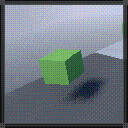
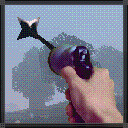
Fuse an item.
Perform APOTHEOSIS once.
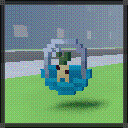
Fuse a vermin.
Fuse into a living block result.
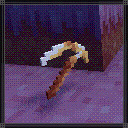
Fuse a divine artifact.
Create a high-rank fusion result.


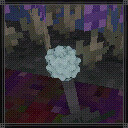
Fertilize a seed.
Plant a seed-like living block that can later be harvested.
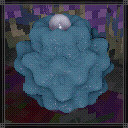
Harvest a fully-grown nut.
Harvest a living plant successfully.
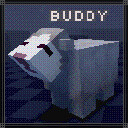

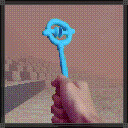

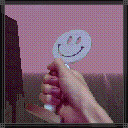

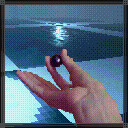

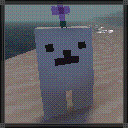
Trigger the Bubblebear-specific massacre condition.
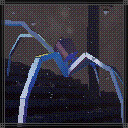
Eliminate a blasphemous creature.
Trigger the Blasphemy achievement condition.
Die.
Die at least once.
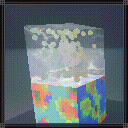
Discover a tiamana leyline.
Interact with a cutscene block for the first time.
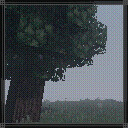
Enter a qualia.
Create or start a new qualia.
Finish the ending route successfully.
Overcome a tiamana challenge.
Complete a challenge route successfully.

World Creation Options
These options are on the Experience tab when creating a new qualia. They change how the world plays.
Divine
Off by defaultCreative / sandbox mode. Gives you infinite items, invincibility, and full inventory, but permanently disables all progression.
Creative-only items and blocks
These unobtainable items exist in the shipped data, but they only make practical sense inside Divine / creative-style play. They are separate from the internal debug-only catalog below.
Enabling Divine permanently disables achievements, discoveries, cutscene interactions, and leveling for this qualia. This cannot be undone.
Details 12 effects
- You become invincible and can break any block, including unbreakable ones.
- Inventory capacity is set to maximum (50 slots).
- The Fusion screen is replaced by a Creative item browser with every item at infinite stacks.
- The Rosary screen is replaced by a manual Music Player for all tracks.
- The world generates on a flat creative plane instead of the normal Eden terrain.
- Tiamana, leveling, and perk selection are disabled.
- Steam achievements and statistics stop recording.
- Item discovery notifications stop appearing.
- Cutscene blocks become non-interactable and their visual effects are hidden.
- The biome music system is disabled; you control music manually.
- The compass item stops working.
- Internal debug-only items still remain hidden unless the separate Ref.main.debug flag is also enabled.
Turvy
Off by defaultInverts gravity for your character. You walk on ceilings and fall upward. Other creatures are not affected.
Details 6 effects
- Your gravity is fully inverted: you fall up, jump down, and walk on the underside of surfaces.
- Swimming up and down directions are swapped while in water.
- When entering a new turvy world, a safety block is placed above you to stand on.
- Flying controls (jump/crouch) are inverted as well.
- Sun-melt and rain-melt checks are adjusted for upside-down orientation.
- Can be toggled on and off in the world settings without permanent consequences.
Wrathful
Off by defaultThe sun becomes a deadly hazard. During daytime, standing in direct sunlight slowly damages you. Night and shelter provide safety.
Details 6 effects
- The sun and sky visuals change with a harsh red-tinted coloration.
- You take 1 damage every 3.5 seconds while exposed to direct sunlight during the day.
- Standing under a block, being indoors, or going underwater blocks the sun damage.
- Nighttime is completely safe from wrathful damage.
- Only the player is affected; other creatures ignore wrathful sun.
- Can be toggled on and off in the world settings without permanent consequences.
Debug Mode
This is a separate engine / build flag, not a world-creation option. The shipped release turns it off in main.tscn, so release players never get the full internal creative catalog or the debug save path.
Ref.main.debug is a separate build/runtime switch from Divine. The shipped main.tscn explicitly sets it to false, so release players never get the internal-item catalog, debug save root, starter kit path, or cutscene override helpers.
- Debug is not a world option. It is a project-level flag on Main, and the shipped main.tscn overrides the script default from true to false.
- When debug is on, SaveFileManager switches away from user:// saves and instead uses the dedicated debug_save_file_path.
- CreativeScreen stops filtering item.internal, which exposes the full internal / placeholder item catalog in sandbox inventory tabs.
- InventorySlot._creative_on_opened() uses Ref.main.debug or discovered status, so debug bypasses the normal discovery-based visibility limit in the creative browser.
- DiscoveryManager also treats every item as discovered when debug_all_discovered is true, and the shipped main.tscn sets that value to true.
- The starter-kit inventory path only runs when debug is on, Divine is off, and the hidden starter_kit flag is true.
- PlotManager has debug-only overrides that can force the default cutscene or pretend all beads are collected for ending tests.
- The toggle_debug key only shows the HUD debug overlay. It does not change Ref.main.debug or unlock hidden debug behavior in a release save.
- World-only helpers like debug_capture, debug_rasterize, and free-fly jump checks are also gated behind Ref.main.debug.
Debug-only internal items and blocks
These are the items hidden by if item.internal and not Ref.main.debug inside the Creative screen. Many are placeholders, internal world blocks, or encounter-specific test objects.
 beep block Debug-only
 blasphemy block Debug-only
 crucible block Debug-only
 debug block debug Debug-only
 debug block replace_1 Debug-only
 debug block replace_10 Debug-only
 debug block replace_2 Debug-only
 debug block replace_3 Debug-only
 debug block replace_4 Debug-only
 debug block replace_5 Debug-only
 debug block replace_6 Debug-only
 debug block replace_7 Debug-only
 debug block replace_8 Debug-only
 debug block replace_9 Debug-only
 debug block void block Debug-only
 debug block w Debug-only
 direction block Debug-only
 gel block Debug-only
 koadma block Debug-only
 manikin block Debug-only
 metal gel block Debug-only
 metal golem block Debug-only
 mini gel block Debug-only
 revelation block Debug-only
 yhvh block Debug-only
Starting Discovery
These items are already in your discovery log when you first play, so they show up in the Fusion calculator right away.
 dirt block
 grass block
 stone block
 sand block
 log block
 cut wood block
 white lamp
 glass block
 concrete block
 yellow plastic block
 white plastic block
 red plastic block
 green plastic block
 blue plastic block
 black plastic block
 brown plastic block
 pink plastic block
 fish capsule
 sheep capsule
 pebble block
 divine drill
 janqualia block
 svargaqualia block
 lavender block
 essence block
 water
water fire
fireUnused Starter Kit Debug-only, disabled in the shipped game
The game code defines a starter kit that would fill your hotbar with items on world creation, but this code path requires debug = true, which is false in the released game. These items are never given to players.
Main scene kit (6 items):


Base player kit (overridden):


Cutscene Map
18 playable cutscenes plus 4 unused scenes found in game files.
Reachable 13
The 13 main-pool cutscenes you can find through normal gameplay.
A voiced text sequence where Alma asks to be torn apart; one branch reacts to the player's current hate stat.
Transcript 9 lines
why did you wake me up?
every second that i sleep, my mind erodes a little more.
my qualia mocks me.
can't you see it?
it's all i've ever wanted.
do me a favor.
i want my mind torn into a million pieces.
snip snip! turn me into confetti!
...
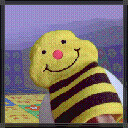
A bee-glider video cutscene that awards a glider item directly to the player.
Challenge entry scene for the Accelo temple route.


Challenge entry scene for the Blasphemy temple route.

Challenge entry scene for the Boulder temple route.

Challenge entry scene for the Maria temple route.
Challenge entry scene for the Menger temple route.
Challenge entry scene for the Vertical temple route.
Cosmic text about tiamana, consciousness, seven suns, and the firmament.
Transcript 5 lines
Even the dust-born creatures overflow with tiamana.
Countless sparks of consciousness in a sea of chaos...
coalescing into one at the end of space and time.
Where the seven suns would burn away the self...
were it not for the firmament.
Religious warning text about paradise, holy ground, and trespass.
Transcript 6 lines
He fashioned this for thee.
A paradise unending, for thou art but fleeting vermin.
And still thou treadest upon holy ground?
...
Go on, then.
Thy trespasses shall be thy undoing.
A long silent / ambient video sequence from the reachable main pool.
A slow camera-driven 3D cutscene centered on Kimiko and surrounding fractal objects.
An animated manikin sequence from the reachable main pool.
Special Flow 5
Story scenes tied to the ending sequence.
The default fallback cutscene when no other unwatched scene is selected.
Opening sequence played through PlotManager.play_intro_cutscene().
Special sequence that plays immediately before the player is teleported into the YHVH ending route.
Special ending hand-off that initializes the YHVH boss route after all beads are collected.
Final post-boss epilogue sequence with the closing spoken lines and credits.
Transcript 3 lines
The path unto oblivion is unbarred.
When thou art ready...
wilt thou not walk with me?
Asset Only 4
Scenes that exist in game files but are not wired into the shipped game.
Project scene present in the cutscene directory but not wired into the shipped runtime cutscene flow.
Project-only cutscene scene with its own video and text assets, not wired into the shipped runtime cutscene flow.
Project-only cutscene scene with a bird text line, not wired into the shipped runtime cutscene flow.
Transcript 1 lines
the tiamana flow continues to increase in your interlinked bubbles.
Project-only neon-bird cutscene scene, not wired into the shipped runtime cutscene flow.
Steam Statistics
Gameplay counters tracked through Steam.
External Resources
Frames Lucid Blocks as an open-world sandbox with combinatorial fusion, exploration, combat, survival pressure, and creative building rather than a linear story game.
Explains the game loop in broad strokes: exploration, creation, progression, discovery, odd controls, and intentionally opaque systems that players are expected to learn in-world.
The recurring questions are rarely about basic controls; they are usually about obscure achievements, rare entity spawns, progression flags, and hidden item interactions.
A representative player pain point: some achievement or item triggers are discoverable in-game, but the actual requirements are not obvious without experimentation or datamining.
Another recurring pattern: players often know a system or entity exists, but not which biome / structure / progression state actually surfaces it.